Copy Trade
Copy Trade
Copy Trade lets you follow a strategy with your own brokerage account without having to rebuild the portfolio by hand every time the strategy changes.
This feature is built for users who want a more practical version of wealth management: you start with your own amount, review the allocation first, and let Tritonix keep the tracker aligned on each scheduled rebalance.
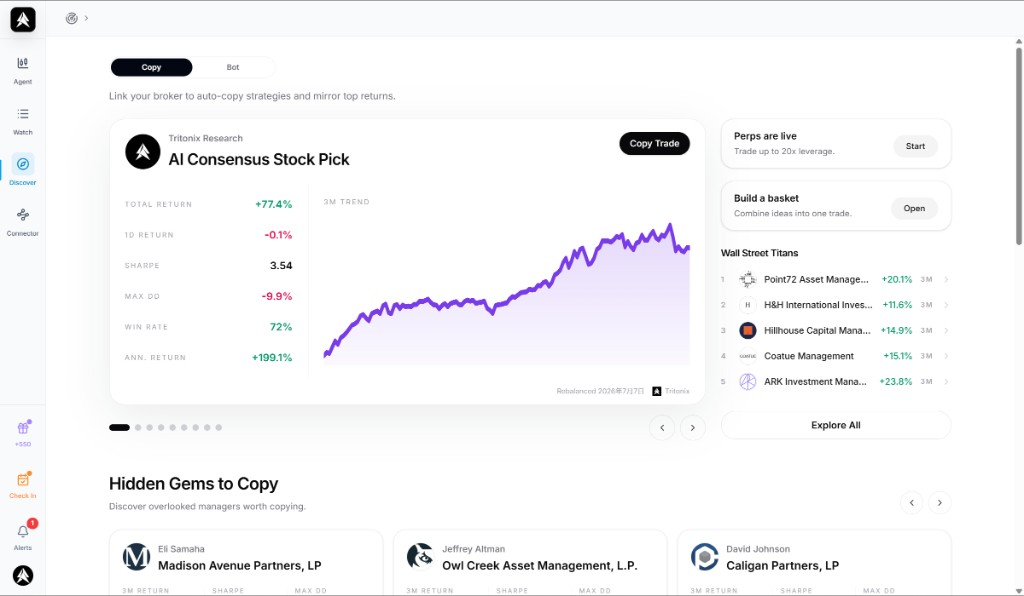
Example: users can browse copyable strategies, compare recent performance context, and open the Copy Trade flow directly from the discovery surface.
Why Users Use Copy Trade
For most retail users, professional wealth management has two obvious barriers:
- The minimum capital is high
- The management fee is high
Copy Trade lowers that barrier.
Instead of needing the ticket size or private access required by top-tier hedge funds and traditional wealth managers, you can start with a much smaller amount and track a strategy through your own connected brokerage account.
In practical terms, that means:
- You do not need a private-banking-sized account to get started
- You can follow institutional-style portfolio changes with smaller capital
- You stay in your own brokerage account instead of handing assets away to an external manager
For many users, this is the closest thing to “having professional portfolio management logic working for you” without the usual gatekeeping around access and fees.
It also matters what kind of strategy you are copying.
Compared with copy-trade setups built around internet personalities or unproven “gurus” with limited track record visibility, professional institutional strategies are generally a more credible starting point for serious users. The reason is not celebrity appeal. The reason is that real professional players usually operate with much heavier research costs, deeper process discipline, and teams of analysts supporting portfolio decisions.
In other words, Copy Trade is valuable not just because it makes strategy-following cheaper, but because it can let ordinary users access strategy logic that historically sat behind expensive research, expensive talent, and expensive wealth-management wrappers.
What Problem It Solves
Without Copy Trade, following a strategy is usually messy:
- You have to monitor changes yourself
- You need to manually calculate the updated allocation
- You can easily drift away from the target portfolio after each change
Copy Trade solves that by giving you a clearer workflow:
- Choose a supported strategy
- Connect a supported broker
- Enter the amount you want to follow with
- Review the target allocation before launch
- Let the tracker stay aligned on scheduled rebalances
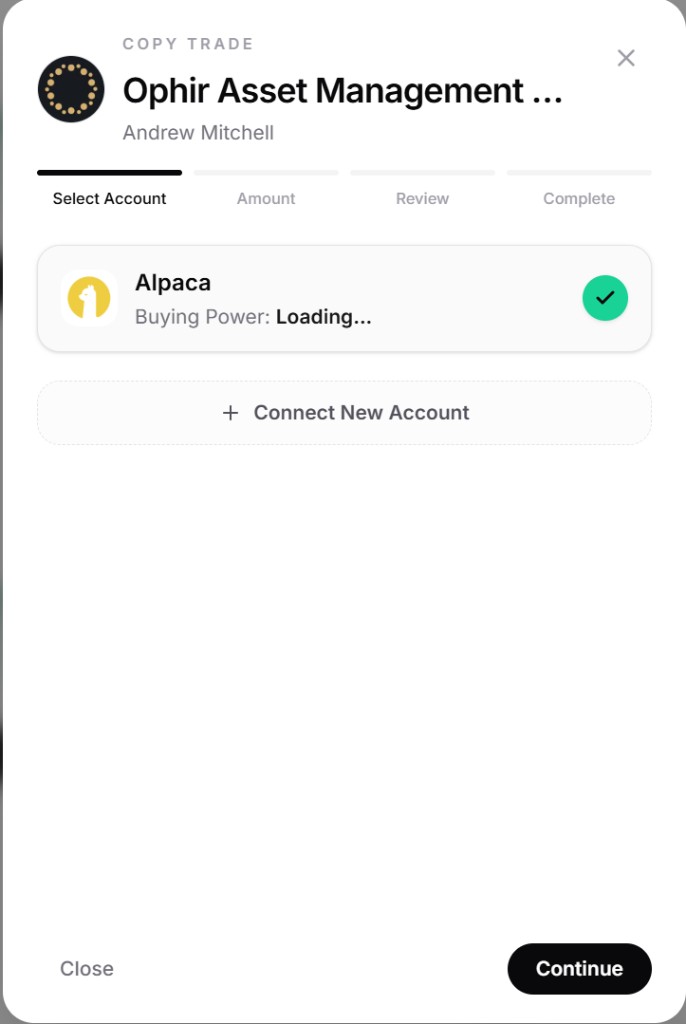
Step 1: select the brokerage account you want the tracker to use before moving into the amount and review steps.
That means less spreadsheet work, less manual portfolio maintenance, and less chance of silently drifting away from the strategy you intended to follow.
You Can Start Small
One of the biggest benefits of Copy Trade is that it works with smaller amounts than traditional wealth-management products.
You are not trying to become an LP in a hedge fund. You are using your own brokerage account to track a strategy with an amount that makes sense for you.
This matters because it gives ordinary users access to a workflow that historically belonged to people with:
- High minimum account sizes
- Private manager relationships
- Expensive advisory or management structures
Copy Trade turns that into something much more accessible.
Rebalances Are Intentionally Restrained
Copy Trade is designed to follow strategy changes on a scheduled rebalance cadence, not to push you into constant activity.
That matters because frequent trading is often good for engagement metrics, but not necessarily good for the user.
Tritonix takes the opposite position:
- Rebalances are meant to be disciplined, not hyperactive
- The product is not built to manufacture unnecessary trading churn
- The goal is long-term portfolio alignment, not dopamine-driven tapping and overtrading
Unlike products that try to gamify trading or encourage constant action, Copy Trade is built around asset growth and strategy discipline first.
That is also why the rebalance behavior should feel measured rather than noisy.
What Credit Usage Means
Copy Trade uses credits as a platform processing fee.
This is not framed as “trade more, pay more because we want activity.” Instead, it is a small operating fee for running the tracker workflow on the platform side.
The current credit usage is:
0.025%of filled notional (was0.05%)
In simple terms:
- If the tracker executes a rebalance, Tritonix measures the filled trade value
- The platform fee is calculated from that traded value
- The fee is deducted through credits
This is designed to stay low-cost while covering the platform work needed to keep the tracker operating.
If you plan to keep a tracker running continuously, enabling auto-reload is strongly recommended so the tracker does not stop when your credit balance runs low.
Auto-reload is especially useful for users who want a “set it up once, then let it continue” workflow.
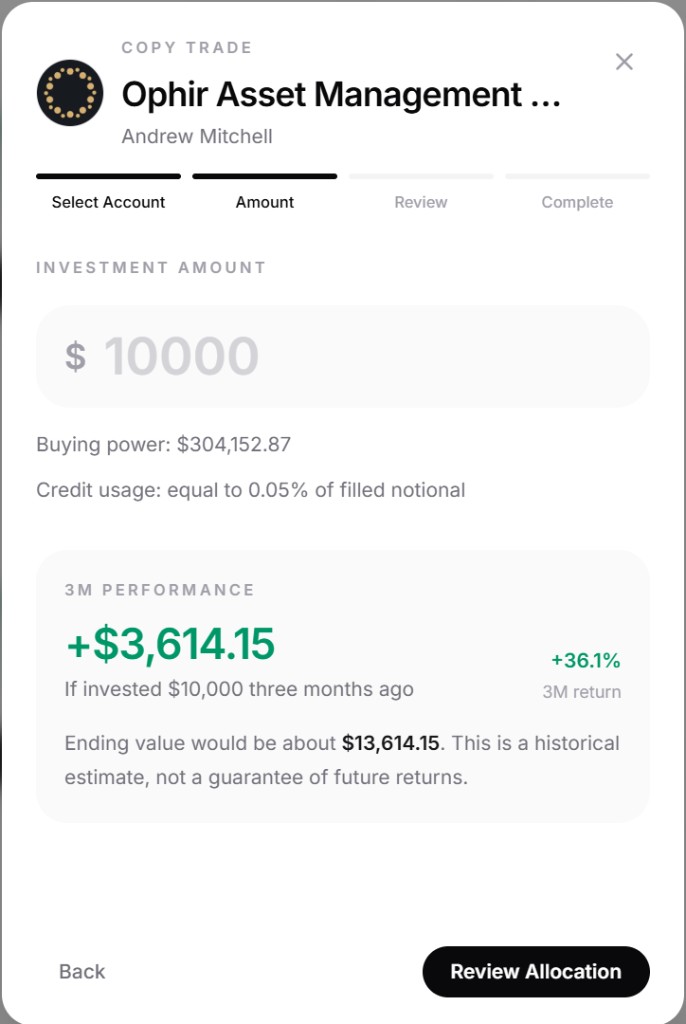
The amount step makes the economics visible before launch, including buying power, credit usage, and the reminder that historical performance is only context, not a guarantee.
Why Auto-Reload Is Worth Enabling
Copy Trade trackers consume credits over time because the platform is continuously handling scheduled tracker operations.
If your credits run out, the tracker can no longer keep syncing normally.
Auto-reload helps by:
- Preventing your tracker from stopping unexpectedly
- Keeping scheduled rebalances running without manual intervention
- Reducing the risk that you miss alignment because your credit balance hit zero
If you want the Copy Trade experience to feel closer to true ongoing portfolio management, auto-reload is the setting that makes it reliable.
What You See Before You Start
Copy Trade is not supposed to be a blind handoff.
Before launch, you can review:
- The amount you plan to allocate
- The target weights
- The target positions
- The broker account being used
- The expected allocation preview
This matters because users should be able to see what they are about to follow before the tracker is created.
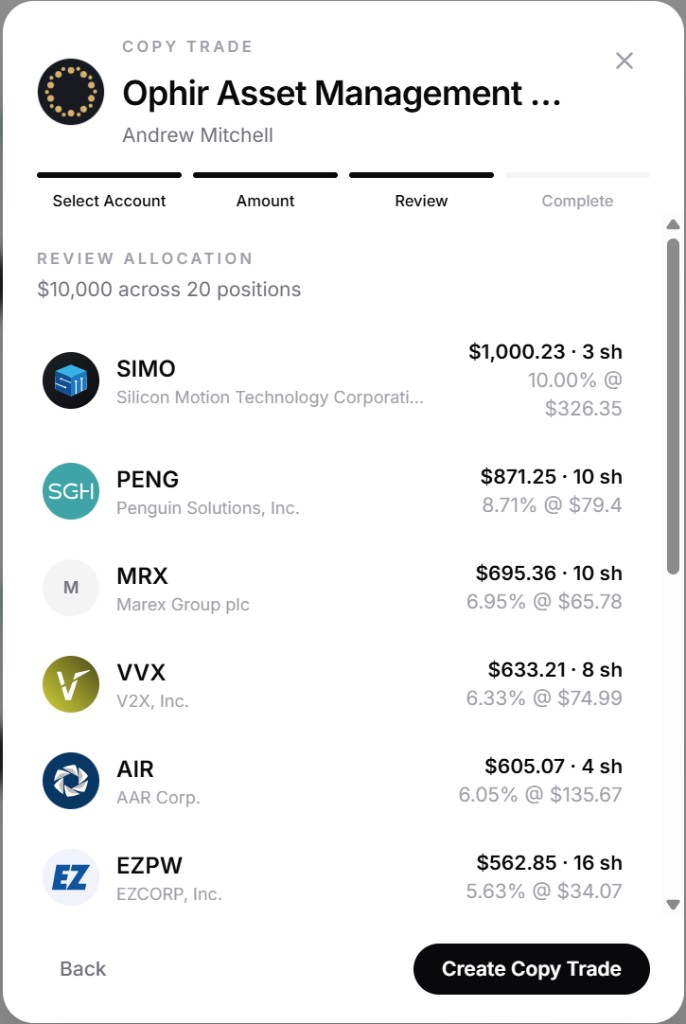
Before launch, users can inspect the target allocation in detail instead of handing control to a black box.
What You See After You Start
Once the tracker is running, the product is designed to keep visibility high.
You can monitor:
- NAV
- Initial capital
- Net deposits
- Holdings
- Activity history
- Funding changes
- Next rebalance time
That makes Copy Trade feel more like an accountable portfolio tool and less like a black box.
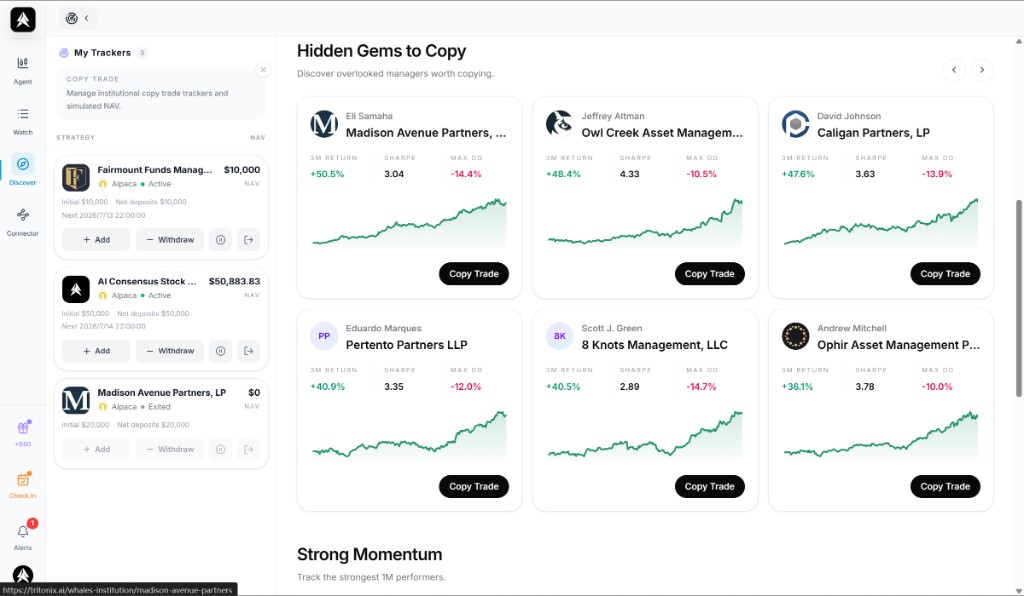
After launch, the tracker list gives you a high-level operating view of all running trackers, including status, NAV, and quick capital actions.
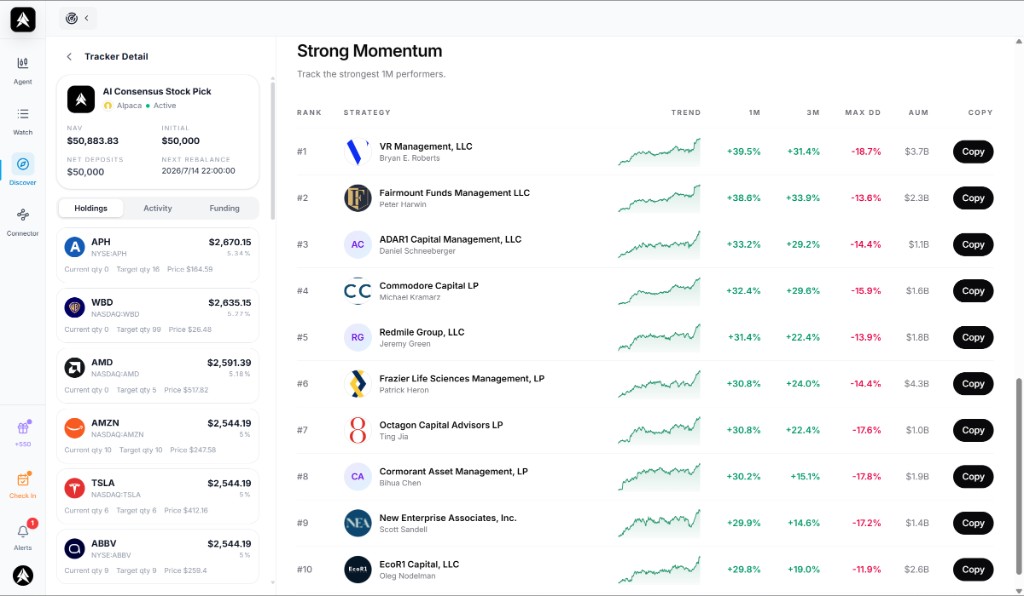
The tracker detail view makes it easy to inspect holdings, current weights, and tracker state without leaving the main workflow.
Performance Needs Proper Context
Historical performance can be useful for understanding how a strategy behaved in the past, but it is not a promise of future returns.
That is especially important for Copy Trade, because users can easily confuse “this strategy performed well before” with “this strategy will perform well for me next.”
Keep these points in mind:
- Past performance does not guarantee future results
- Market conditions change
- Your real experience can differ because of execution timing, fills, deposits, withdrawals, and account state
Use performance history as context, not as a promise.
A Good Way to Start
If you are new to Copy Trade, a practical approach is:
- Start with an amount that is meaningful but still easy for you to manage
- Review the allocation carefully before launching
- Turn on auto-reload if you want the tracker to stay active continuously
- Watch the first rebalance cycle before increasing capital
This gives you a safer way to learn the workflow before you scale up.
Related Guides
- To connect a supported broker first: Connectors
- To understand the strategy source: AI Consensus Stock Pick
- To explore institutional-style strategy coverage: Institutional Smart Money