AI Agent Guide
Tritonix AI Agent
Tritonix AI Agent is your investment research assistant inside Tritonix. Ask questions in plain English and it pulls live market data, filings, news, macro series, screening results, and web sources to build an answer grounded in current information.
This page is the best place to start if you want a high-level map of what the Agent can do. For a case-based guide focused on everyday research questions, see Tritonix Investment Agent.
Getting Started
Click Open Tritonix in the navigation bar, then type your question into the input box and press Enter.
You can start with direct prompts such as:
- "What changed for Nvidia today?"
- "Summarize Apple's latest earnings in plain English."
- "Screen for profitable software stocks with strong revenue growth."
- "What does the latest CPI print imply for rates and equities?"
What Problems It Solves
Tritonix AI Agent is designed to help with three layers of work:
1. Everyday investment Q&A
Use it when you want a fast answer with real data behind it:
- Understand a company, ticker, sector, or theme
- Check what happened in earnings, filings, or news
- Compare multiple assets or summarize a watchlist
- Ask what a macro event may mean for markets
- Turn raw market information into a short thesis or action list
2. Deeper research workflows
Use it when the question needs multiple steps:
- Screen markets based on fundamentals, technicals, or valuation
- Pull together quotes, filings, news, and macro context into one answer
- Export a research note or Word report
- Save work into your document library for later reuse
3. Advanced analysis and execution
When needed, the Agent can move beyond normal Q&A:
- Run advanced chart analysis and markup in the same Studio chat
- Create recurring market briefs with Scheduled Tasks
- Prepare chart-backed trade setups and workflows for Publish Idea
- Post research outputs through the Social Media Agent
See also:
Data Coverage
The Agent can combine multiple sources in one answer. Common coverage includes:
- Equities and ETFs — live quotes, charts, company fundamentals, earnings calendars, and filings
- Global markets — US stocks, Hong Kong stocks, A-shares, ETFs, and other supported screening universes
- Crypto and cross-asset context — market data, charts, and research inputs for broader asset allocation questions
- Financial statements — income statement, balance sheet, and cash flow data
- News and events — company news, market headlines, earnings events, dividends, splits, and macro events
- Macro data — FRED series such as CPI, GDP, labor, yields, and other economic indicators
- Prediction markets — Polymarket probabilities for event-driven context
- Institutional flows — signals tied to institutional positioning and ownership data
- Web research — search the web or read the full content of a URL
- Personal research documents — create, update, and retrieve documents from your library
The exact tools used depend on the question. You do not need to select tools manually.
What You Can Expect Back
Depending on the task, the Agent can return:
- A concise answer with the key conclusion first
- A structured company or market summary
- A table of screening results
- A chart, chart context, or linked asset panel view
- A longer research memo or downloadable Word report
- A follow-up workflow such as a scheduled task or publish-ready idea draft
Choosing a Model
Use the model selector next to the input box to switch between available frontier models. Different models trade off speed, depth, and Credit usage.
As a rule of thumb:
- Use a faster model for quick lookups, summaries, and routine questions
- Use a stronger reasoning model for deep research, synthesis, and complex comparisons
Model availability can change over time as the platform is updated.
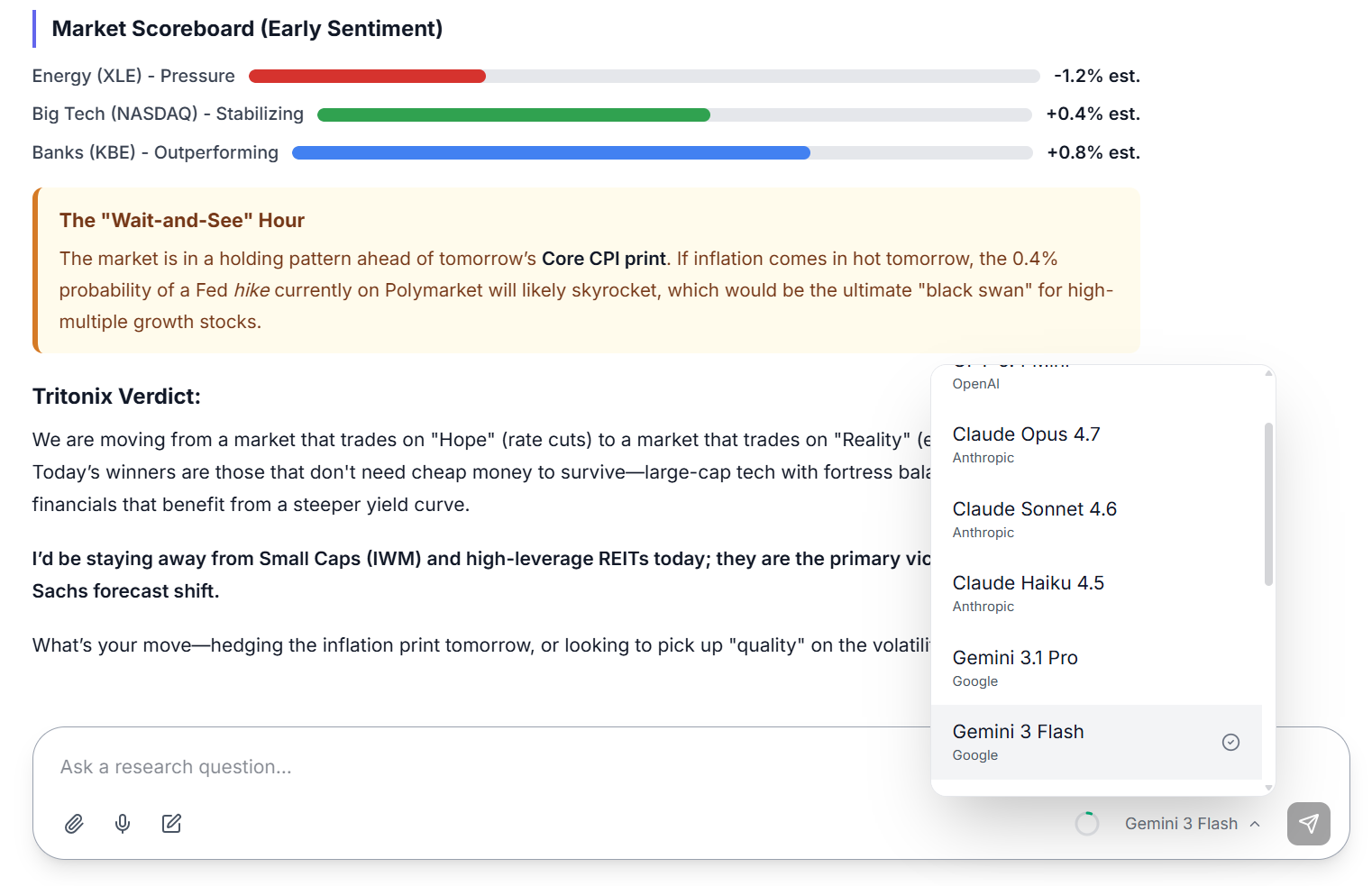
Example: the model selector lets you switch between faster everyday models and stronger reasoning models without leaving the chat.
Attachments, Voice, and Memory
Attachments
Click the paperclip icon to attach images or PDFs. The Agent can read the file together with your prompt, which is useful for slides, reports, screenshots, and investor materials.
Voice input
Click the microphone icon and allow microphone access to record your prompt. The live waveform follows your voice; choose Stop to transcribe into the input box for editing, or Send to transcribe and submit immediately. Audio is transcribed securely through the AI service and is not stored as a chat attachment.
Memory
After each conversation, Tritonix can store useful context such as companies discussed, prior theses, and your research preferences. This helps the Agent continue a line of work without starting from zero every time.
Side Panels
During a conversation, Tritonix may open supporting panels on the right:
- Asset Panel — live chart plus technical and fundamental context for an asset. View guide →
- Calendar Panel — browse economic events, earnings, dividends, and IPOs in a structured calendar view. View guide →
- Screener Panel — sortable screen results. View guide →
- Web Search Panel — source links and excerpts used in web research. View guide →
- Document Panel — saved notes and research documents. View guide →
- Skill Panel — reusable custom workflows and prompts. View guide →
- Scheduled Tasks Panel — all recurring tasks and their status. View guide →
Where to Go Next
- For a case-based guide to common research questions: Tritonix Investment Agent
- For chart analysis and markup: AI Technical Analysis
- For recurring automation: Scheduled Tasks
- For publishing chart-backed ideas: Publish Ideas